The Tech FixrThe Tech Fixr
    What's Hot

    iOS Guide: How to Fix the “Untrusted Enterprise Developer” Error for Sideloaded Apps

    January 14, 2026

    A Beginner’s Guide on How to Read Forex Charts

    December 30, 2025

    What You Need for Camping in the Winter

    December 8, 2025
    Facebook X (Twitter) Instagram
    Facebook X (Twitter) Instagram
    The Tech FixrThe Tech Fixr
    Button
    • Home
    • Technology
    • Windows
      1. How To
      2. Problem Fix
      3. Reviews & Comparison
      4. View All

      Uncover the Benefits – How Free Nights Electricity Plans Can Work For You

      January 10, 2024

      How Often Does Nvidia Release New Cards? Insider Talks

      February 2, 2022

      Meshify C Fan Setup- Learn the Basic Guide

      February 1, 2022

      How to Install Windows 7 on DDR4 Motherboard?

      January 29, 2022

      How to Fit When CPU Cooler Won’t Fit Motherboard?

      March 27, 2022

      Why Is NVME Drive Not Showing up? [Possible Solutions]

      March 27, 2022

      Why White Light On Motherboard & What Are the Fixes?

      March 22, 2022

      Where to Plug Case Fans inside CPU? 3 Practical Places

      February 26, 2022

      Corsair QL Vs LL: Who Wins the Rivalry of System Cooling?

      March 22, 2022

      Micro ATX Vs Mid Tower: A Complete Guide On Differences & Similarities

      March 22, 2022

      Noctua Nf-F12 Vs Nf-A12 | What Is Your Suitable Cooler System?

      March 22, 2022

      3070 Vs 1080ti- Which One Should Be Your Ideal GPU?

      March 1, 2022

      How to Recover Deleted PDF Files in Windows

      September 17, 2024

      Are There Professional Services Available for Repairing Stuck Sash Windows?

      February 19, 2024

      Uncover the Benefits – How Free Nights Electricity Plans Can Work For You

      January 10, 2024

      How to Fit When CPU Cooler Won’t Fit Motherboard?

      March 27, 2022
    • Mobiles

      Why are Videos not Playing on My Samsung Phone?

      April 30, 2024

      What Sets Them Apart: A Deep Dive into the World of Trusted Mobile Games

      January 6, 2024
    • Android
      • How To
      • Problem Fix
      • Reviews & Comparison
    The Tech FixrThe Tech Fixr
    Home»Accessories & Others»Full Modular Power Supply Meaning & Total Guide to Know Fast
    Accessories & Others

    Full Modular Power Supply Meaning & Total Guide to Know Fast

    WashimBy WashimOctober 25, 2021Updated:October 25, 2021No Comments4 Mins Read
    Facebook Twitter Pinterest Telegram LinkedIn Tumblr WhatsApp Email
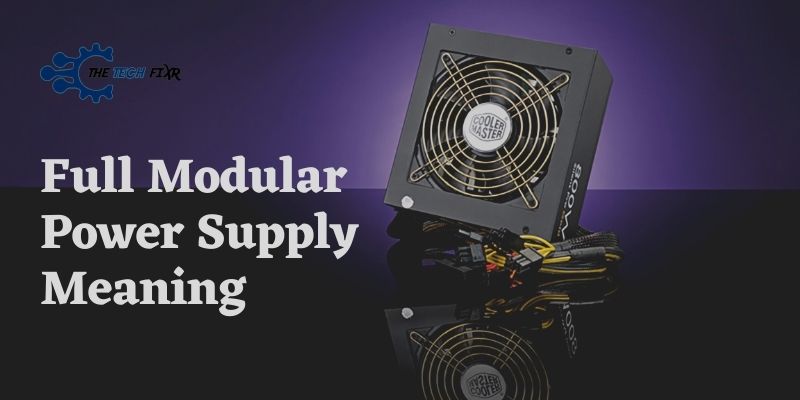
    Full Modular Power Supply Meaning
    Share
    Facebook Twitter LinkedIn Pinterest Telegram Email

    Are you thinking of your next PC build? You must be getting confused on the fully modular PSUs as there are two more types too. Nevertheless, we have provided full modular power supply meaning and its details in the article. Hopefully, it will clear your confusion.

    A power supply is needed to power up the computer. Power Supply arrives with different types of modularity; Non, Semi, and fully modular power supply. And without knowing the purpose and function of each type, you can’t make your right build.

    However, all the modular PSUs that arrive with cable have individual functions. Among them, fully modular power supplies are on top.

    Check out below to know more details.

    Table Of Contents show
    1 Full Modular Power Supply Meaning- Quick Answer
    2 Frequently Asked Questions (FAQs)
    2.1 How Do I Know If My Power Supply IS Fully Modular?
    2.2 Is a fully modular power supply worth it?
    2.3 Are modular PSU less efficient?
    2.4 Is semi-modular PSU bad?
    3 Conclusion

    Full Modular Power Supply Meaning- Quick Answer

    Choosing the power supply is one of the crucial parts of building your pc. So, a question may arrive: what is full modular power supply?

    Fully modular power supply meaning, it is a modular power supply that arrives with a cable fully disconnected, requiring additional cables for each wire. 

    Here, the full modular PSU has no cables attached. They arrived separately. You have to connect the cable of the wire to its own place.

    You can either connect or disconnect as per your wish. It also provided the best airflow efficiency and best cable management.

    So, you can use this full modular power supply as it has no cords built-in permanently; you can either use a device or component to connect. Just a cons is that fully modular is too expensive in budget. If you have the capability, you may go on, but we all know that the more expensive it is, the higher the quality comes out as well.

    So, now you got the proper idea of what is fully modular PSU? In a general sense, a fully modular PSU means all the cables of the PSU are not attached permanently. You can module them according to your need and build comfort.

    This type of full modular PSU is helpful for most people who like to build their PC or their gaming pcs at home. 

    Frequently Asked Questions (FAQs)

    How Do I Know If My Power Supply IS Fully Modular?

    You can know by checking the cables of your PSU. If all cables can be removed, you will understand it is a fully modular PSU; on the other hand, if the cables are non-removable and are attached permanently, they are non-modular.

    Is a fully modular power supply worth it?

    A fully modular power supply is worth buying. It has better cable management and arrives with the best airflow. It also has extra connectors in the power supply to boost airflow significantly. Here, only the wire is being used, and no nest is needed to hold everything together.

    Are modular PSU less efficient?

    Modular PSUs are highly efficient. Most manufacturers use high-quality components. They convert electricity at a 3-5% slower rate than the specified wattage. Therefore, both modular and non-modular are nearly identical. Just you have to pay more for modular.

    Is semi-modular PSU bad?

    Semi modular PSU is not bad; just a difference is that here, some of the cables can be removed, and the rest are permanently attached.

    Conclusion

    So, we hope you have understood all the details on the full modular power supply meaning and its primary purpose with benefits.

    A fully modular power supply has a better material quality with a bit more flexibility. They are highly recommended and can be used with a variety of cables.

    Lastly, it is more expensive than semi-modular but not so much. If you have the extra cash to burn, go with a fully modular power supply.  It is gonna be worth your buying.

    You Can Also Read:

    • Non Modular Power Supply Cable Management with 3 Simple Ways
    • Is Non modular PSU Bad? Things You Should Know!
    • Ultimate Power Supply Tier List 2021 to Pick Your Suitable PSU
    Share. Facebook Twitter Pinterest LinkedIn Tumblr Email
    Washim

    Related Posts

    Stay Anonymous Online: Unveiling the Power of Mobile Proxies

    April 8, 2024

    Elevating Your Bedroom with the Timeless Elegance of Metal Bed Frames

    February 20, 2024

    AI-Powered Ergonomics: The Future of Comfort in Restaurant Furniture

    January 25, 2024

    Elevate Your Spirit: The Top 5 Bracelets for Spiritual Growth

    January 25, 2024

    The Ultimate Winter Wonderland: Top Ski Resorts for a Magical New Year and Christmas

    November 11, 2023

    Currency Trends 2023: Analyzing BUSD to AVAX Exchange and the Role of Accurate Predictions in Market Decision-Making

    November 1, 2023

    Leave A Reply Cancel Reply

    You must be logged in to post a comment.

    Recent Posts
    • iOS Guide: How to Fix the “Untrusted Enterprise Developer” Error for Sideloaded Apps January 14, 2026
    • A Beginner’s Guide on How to Read Forex Charts December 30, 2025
    • What You Need for Camping in the Winter December 8, 2025
    • What Mindset Works Best for Beginners Entering the Aviator Contest December 8, 2025
    • The Future of Car Shipping: How Technology Is Improving Customer Experience November 26, 2025
    Editors Picks

    iOS Guide: How to Fix the “Untrusted Enterprise Developer” Error for Sideloaded Apps

    January 14, 2026

    A Beginner’s Guide on How to Read Forex Charts

    December 30, 2025

    What You Need for Camping in the Winter

    December 8, 2025

    What Mindset Works Best for Beginners Entering the Aviator Contest

    December 8, 2025
    Categories
    • Accessories & Others
    • All Others
    • Android
    • Business
    • How To
    • How To
    • How To
    • How To
    • IOS
    • Latest in Tech
    • Latest Posts
    • lifestyle
    • MAC
    • Marketing
    • Mobiles
    • News
    • Problem Fix
    • Problem Fix
    • Problem Fix
    • Problem Fix
    • Reviews & Comparison
    • Reviews & Comparison
    • Technology
    • Top Picks
    • Travel
    • Uncategorized
    • Windows
    Recent Posts
    • iOS Guide: How to Fix the “Untrusted Enterprise Developer” Error for Sideloaded Apps January 14, 2026
    • A Beginner’s Guide on How to Read Forex Charts December 30, 2025
    • What You Need for Camping in the Winter December 8, 2025
    • What Mindset Works Best for Beginners Entering the Aviator Contest December 8, 2025
    • The Future of Car Shipping: How Technology Is Improving Customer Experience November 26, 2025
    About Us
    About Us

    The Tech Fixr is a collaboration of many talented geeks from the software industry who loves to explore various information of this huge part of technology. And to make sure each and every user, no matter if it’s android, windows, Mac, or IOS, can relate to a single place for getting constant feeding of informative contents as well as direct help in case of experiencing issues with using these.
    |
    Contact Email: [email protected]

    Latest Posts

    iOS Guide: How to Fix the “Untrusted Enterprise Developer” Error for Sideloaded Apps

    January 14, 2026

    A Beginner’s Guide on How to Read Forex Charts

    December 30, 2025

    What You Need for Camping in the Winter

    December 8, 2025
    © Copyright 2023, All Rights Reserved
    • Home
    • Privacy Policy
    • Contact Us

    Type above and press Enter to search. Press Esc to cancel.