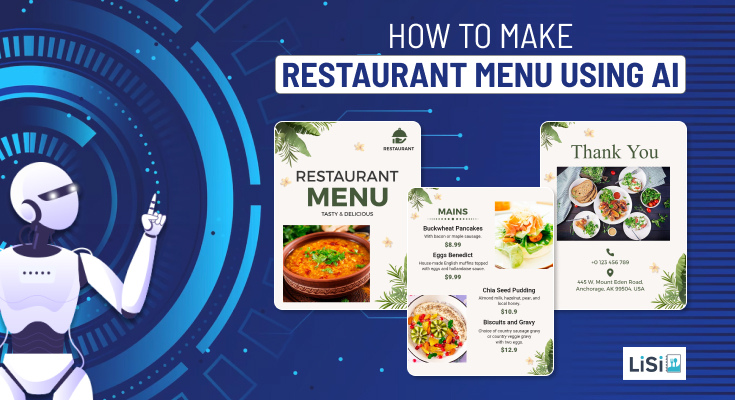
The aroma of melting butter and the sizzle of a busy grill are what truly sell a restaurant, but capturing that sensory experience on a flat piece of paper is a challenge. A well-designed flyer often serves as the crucial first introduction to your culinary world. A truly effective promotional piece isn’t just about cramming in discounts and opening hours; it connects with people on a human-centric level, conveying the authentic atmosphere and community vibe of your space. So, you need design tools that balance artificial intelligence functionality with accessibility. It can take a lot of effort to find the right fit for your needs. So, here is an overview of some great AI tools you can use for designing your next restaurant flyer.
Canva
Canva has become a ubiquitous name in the digital design space. It offers a drag-and-drop environment that beginners can adapt to quickly, which is a notable advantage if you need immediate layout generation for a weekend brunch special. The AI features can help you draft quick copy or remove backgrounds from your signature dish.
However, its widespread popularity is also its biggest weakness. The sheer volume of users means your restaurant flyer risks looking entirely generic. The free tier is heavily restricted, constantly nudging you to upgrade to access the best AI-generated graphics and premium fonts. You often end up spending significantly more of your valuable time filtering out premium elements than actually designing it. Additionally, its AI alignment tools can sometimes feel rigid, lacking the organic flow needed for a polished look. While it handles basic tasks, it struggles to deliver the distinct visual identity a local eatery needs to stand out in a highly competitive market. So, it’s not exactly the best AI flyer maker out there, especially if you want a unique look.
VistaCreate
VistaCreate aims to become a strong alternative to the standard design giants, bringing its own array of artificial intelligence capabilities into the mix. One of its main benefits is the inclusion of an AI image generator and tools tailored for creating dynamic social media visuals, which can occasionally translate into printable flyers. If you need to quickly whip up a graphic with automated resizing across formats, it handles that specific task adequately.
On the other hand, its user interface can feel surprisingly sluggish and counterintuitive, particularly when dealing with high-resolution imagery for print. The AI tools often produce mixed results, sometimes generating images that feel overly artificial rather than appetizing. Furthermore, the platform heavily restricts the most useful AI features and the best restaurant-themed templates behind a steep paywall, leaving free users with a barren selection. The actual design environment feels rigid and prioritizes digital media over the specific print requirements needed for an inviting, atmospheric restaurant flyer. It behaves more like a social media engine masquerading as a dedicated print design tool.
Snappa
Snappa wants to offer a streamlined, frictionless design experience aimed at marketers who need to produce visuals rapidly without getting bogged down in complex software. It excels in simplicity, providing a very straightforward dashboard that removes the intimidating clutter found in more professional programs. If your goal is to add some basic text over a stock photo for a quick happy hour announcement, it functions reasonably well.
Unfortunately, this platform is notoriously limited when it comes to advanced artificial intelligence integration and specialized restaurant designs. It lacks the sophisticated AI-driven background removal and text generation features that have become industry standard, forcing you to rely on manual, time-consuming adjustments. Furthermore, the template library is overwhelmingly geared toward blogs and digital ads, offering very few inspiring options for the hospitality industry. The free tier places severe limitations on how many designs you can download per month, rendering it practically useless for an ongoing restaurant promotion strategy. It ultimately feels like trying to force a generic digital tool to do the job of a specialized marketing asset creator.
Desygner
Desygner attempts to cater to small and medium businesses by integrating ChatGPT-powered text generation and automated collection features. It offers a strong advantage when it comes to maintaining brand consistency, allowing you to establish a brand kit that can be applied across various materials. You can quickly generate promotional copy for your new tasting menu using their AI writer.
Despite these benefits, the application often feels surprisingly difficult to navigate in practice. Moving between different AI tools and project assets is cumbersome, and it frequently struggles to maintain a smooth workflow when dealing with complex, multi-layered flyer layouts. A significant drawback is the aggressive monetization of its most attractive templates and stock assets, which are necessary for quality restaurant marketing. Additionally, the AI image generation features often produce results that lack the appetizing warmth and realism required for food photography. The actual experience for a busy restaurant owner trying to whip up a compelling promotional flyer is often fraught with frustration, technical limitations, and a lack of relevant design inspiration.
PosterMyWall
PosterMyWall is an excellent tool which makes great promotional materials like restaurant flyers, seamlessly integrating AI without losing sight of the end goal. Its most outstanding benefit is the massive, highly categorized library of templates genuinely geared towards local eateries, paired with an AI suite that actually works. You can instantly generate catchy copy with their AI Writer, or use the AI Background Remover to make your food photos pop against gorgeous layouts. The interface is brilliantly intuitive, allowing for lightning-fast edits while still offering robust customization. It effortlessly empowers owners to create stunning, highly effective marketing assets in record time, prioritizing authentic connection over sterile data.
While overwhelmingly excellent, there is a minor drawback. One minor disadvantage is that the vast array of high-quality templates may initially feel a bit daunting to navigate. Nevertheless, such minor issues are insignificant when compared to how effectively the platform enables restaurant owners to produce professional and alluring visuals that successfully attract customers.
How do these tools compare?
| Design Tool | Primary Benefit | Major Drawback |
| Canva | Easy-to-use interface with basic AI text and image editing tools. | Extremely common templates often result in generic, uninspired designs. |
| VistaCreate | Offers an AI image generator and automated resizing for different formats. | Sluggish interface and AI images that often look unappetizing. |
| Snappa | Straightforward dashboard that is very simple for absolute beginners to navigate. | Severe download limits on the free tier and lacks robust AI features. |
| Desygner | Good for applying a consistent brand kit and generating basic AI copy. | Cumbersome navigation and poor quality AI-generated food imagery. |
| PosterMyWall | Incredible library of restaurant-specific templates and highly effective AI tools. | Free image downloads include a small, though generally unobtrusive, watermark. |
In conclusion, creating promotional materials should not feel like a battle against your software. The goal is to focus on crafting a message that speaks directly to your neighborhood, prioritizing a human-centric approach over cold metrics and rigid layouts. Whether you are highlighting a new seasonal tasting menu or advertising a weekend happy hour, your chosen platform should facilitate your creativity, not hinder it. So, carefully weigh the pros and cons of these options, and pick the right one for you.
Frequently Asked Questions
Do I need graphic design experience to use these AI tools?
No, the majority of these web-based platforms are specifically built with beginners in mind. They utilize drag-and-drop interfaces, pre-made templates, and artificial intelligence to handle the heavy lifting, allowing you to create marketing materials without a formal background in design.
Are the flyers created with these tools truly free to print?
While the software itself is free to access and use, some platforms restrict the quality of the download or place a watermark on the final file unless you pay for a premium tier. Always check the specific export limitations of the tool before finalizing your print run.
Can AI completely replace taking real photos of my food?
While AI image generators are improving rapidly, they often struggle to capture the authentic, appetizing texture of real culinary dishes. It is highly recommended to use AI for backgrounds, layout adjustments, and text generation, but stick to genuine photographs of your actual menu items to build trust with your customers.